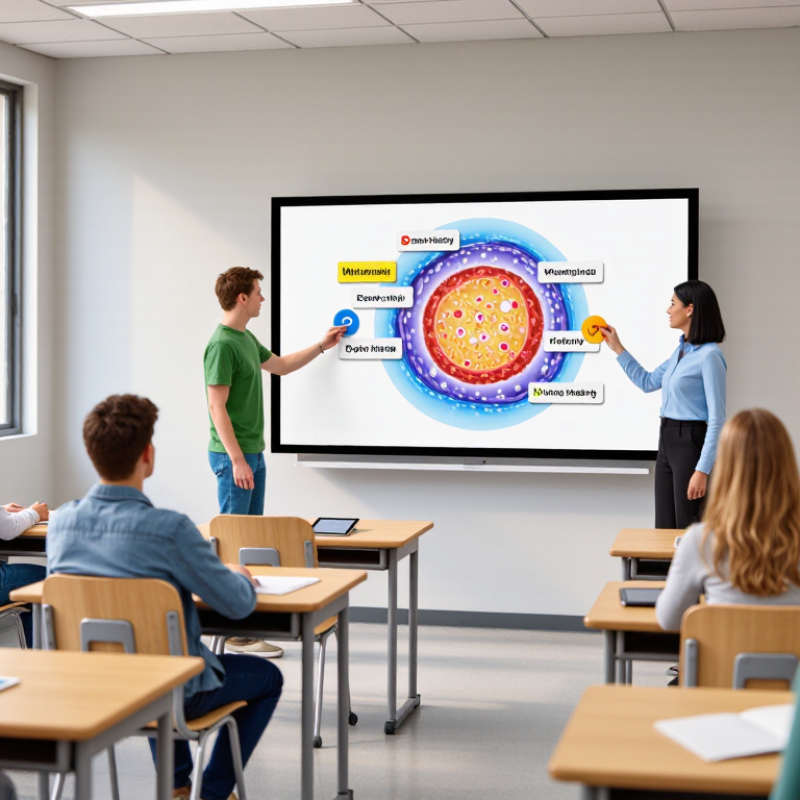
| Active Participation | Students can annotate, classify, drag, match, solve, and manipulate visual content at the front of the classroom. | More students contribute answers or explanations instead of only watching a presentation. | Supported with conditions
Research reviews report increased opportunities for whole-class participation when lessons require students to interact with content. | Use short student-led tasks and rotate participation. Avoid using the board only as a projected display. |
| Attention and Focus | Dynamic visuals, handwriting, diagrams, animations, and immediate content changes can make explanations easier to follow. | Students remain oriented toward the shared lesson focus and can connect spoken explanations with visible actions. | Promising
Studies commonly associate visual and interactive presentation with improved classroom attention, although effects depend on lesson design. | Keep visuals purposeful, limit unnecessary animation, and reveal information step by step. |
| Collaborative Learning | A shared digital workspace allows pairs or groups to contribute ideas, compare answers, and discuss solutions. | Students explain reasoning to peers and revise answers after group discussion. | Supported with conditions
Classroom research links interactive board use with more visible dialogue and collaborative discussion when teachers use questioning and peer explanation. | Design group challenges with more than one valid contribution and ask students to justify changes on the board. |
| Immediate Feedback | Teachers can reveal answers, edit examples, annotate misconceptions, and adjust the next activity during the lesson. | Misconceptions are identified and addressed before students move to independent practice. | Instructionally useful
Research identifies rapid feedback and flexible lesson adjustment as important benefits of interactive classroom technology. | Use quick checks for understanding, then modify examples or grouping based on student responses. |
| Multimodal Learning | Text, images, diagrams, audio, video, handwriting, and physical manipulation can be combined in one lesson sequence. | Students access concepts through more than one representation and can switch between visual and verbal explanations. | Supported for accessibility
Research reviews describe multimodal presentation as a potential benefit, particularly when multiple representations clarify rather than duplicate information. | Provide readable contrast, meaningful labels, captions where needed, and alternative ways to participate. |
| Student Agency | Students can present work, demonstrate methods, organize information, and make visible edits during class. | Students take responsibility for explaining processes and evaluating their own or peers’ work. | Promising
Qualitative classroom studies report stronger student involvement when learners use the board as a workspace rather than a teacher-controlled screen. | Let students choose examples, lead demonstrations, and annotate peer work using clear success criteria. |
| Lesson Flow and Retrieval | Teachers can save, revisit, and build on annotated lesson content instead of erasing the board after each activity. | Students review earlier reasoning and connect new content with previous examples. | Potential benefit
Research identifies lesson storage and reuse as useful for continuity, revision, and classroom review. | Save key stages of the lesson and use them for retrieval questions rather than simply replaying the full lesson. |
| Learning Outcomes | Interactive activities can support explanation, practice, feedback, and formative assessment. | Students demonstrate clearer reasoning, corrected misconceptions, or improved task completion. | Not automatic
Systematic reviews have not established that interactive boards alone consistently improve attainment; pedagogical use is the decisive factor. | Align every board activity with a learning objective and assess understanding independently of the technology. |
| Teacher Practice | The board supports annotation, modeling, questioning, resource integration, and real-time adaptation. | The teacher spends more time eliciting, modeling, and responding to student thinking. | Depends on training
Research reports that benefits are reduced when teachers use the board mainly for one-way presentation or lack sufficient preparation time. | Provide training focused on questioning, collaborative routines, accessibility, and lesson planning rather than hardware operation alone. |
| Evidence base: Higgins, S., Beauchamp, G., & Miller, D. (2007), “Reviewing the Literature on Interactive Whiteboards”; Smith, H. J., Higgins, S., Wall, K., & Miller, J. (2005), “Interactive Whiteboards: Boon or Bandwagon?”; DiGregorio, P. & Sobel-Lojeski, K. (2010), “The Effects of Interactive Whiteboards on Student Performance and Learning.” Findings are summarized conservatively: interactive boards can improve engagement when integrated with active pedagogy, but the technology itself does not guarantee higher achievement. |