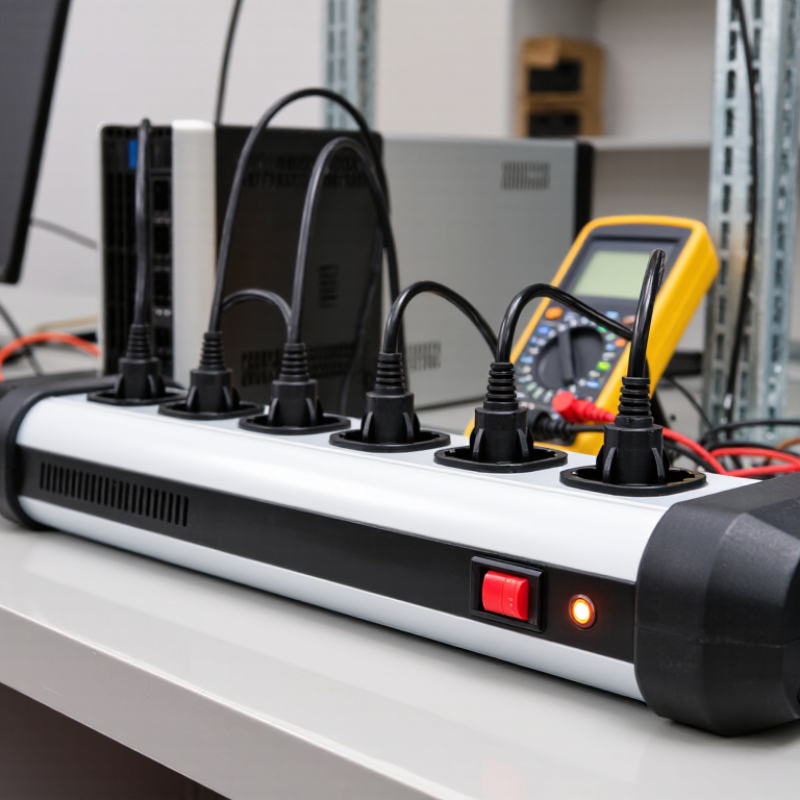
| Basic home workstation | 4–6 outlets | Use the socket standard required by the local electrical system. For example, NEMA 5-15R is common on 120 V systems, while BS 1363 or Schuko outlets are used in other regions. | Standard spacing of approximately 38–50 mm (1.5–2 in) | Commonly up to 15 A at 120 V or up to 16 A at 230 V, depending on the local standard and product rating | Computer, monitor, desk lamp, speakers, charger | Choose enough outlets for current devices plus one or two spare positions. |
| Home entertainment system | 6–8 outlets | Match the local wall-socket standard. Angled or widely spaced outlets can make bulky adapters easier to connect. | Approximately 50–76 mm (2–3 in) when several plug-in adapters are used | Usually 15 A at 120 V or 16 A at 230 V, subject to the strip’s label and local regulations | Television, game console, media player, sound system, router | Allow extra space around large power adapters and avoid forcing multiple bulky plugs into adjacent sockets. |
| Office desk cluster | 8–10 outlets | Use compatible grounded outlets for computers and office equipment. USB charging ports may be added for low-power devices. | Standard spacing for ordinary plugs; 50–76 mm (2–3 in) for transformer-style adapters | Do not exceed the marked current or wattage limit. A 15 A, 120 V strip has a nominal maximum of 1,800 W, but continuous loading should be kept below the circuit limit. | Computers, displays, printers, network equipment, chargers | Calculate the combined load and leave capacity for inrush current from printers or other motor-driven equipment. |
| Home workshop or hobby area | 6–8 outlets | Use grounded outlets with suitable protection for the tools and environment. Select a heavy-duty construction where appropriate. | Approximately 50–76 mm (2–3 in) for large tool plugs and adapters | Use only the rating allowed by the branch circuit, plug, cable, and power strip. Motors and heating tools may draw high starting or operating current. | Small power tools, soldering equipment, task lighting, battery chargers | Do not use a standard indoor strip in damp, dusty, outdoor, or chemically exposed locations unless it is specifically rated for that environment. |
| Server rack or network cabinet | 8–12 outlets | Rack-mounted strips commonly use IEC C13 outlets for equipment with IEC C14 power inlets; the input plug and voltage must match the installation. | Commonly arranged for rack equipment; verify that outlet locations do not interfere with cable management or rear-mounted power supplies. | Typical rack strips may be rated for 10 A, 16 A, or another value. The rating must not exceed the rack circuit, connector, or cable capacity. | Servers, switches, routers, storage systems, monitoring equipment | Choose outlet orientation, cable length, circuit monitoring, and mounting hardware based on rack layout and service access. |
| Large adapter or wall-wart setup | 4–6 outlets | Use the correct local socket type with wide-spaced or alternating outlets. USB ports do not replace grounded AC outlets. | Approximately 63–100 mm (2.5–4 in) between selected outlets, depending on adapter size | Respect both the total current limit and the individual outlet design. A strip may have a high total rating but still have limited usable space. | External hard-drive adapters, laptop chargers, audio equipment, test instruments | Prioritize physical spacing over maximum outlet count when adapters are large or angled. |
| Travel or temporary use | 3–6 outlets | Use a strip designed for the destination’s voltage and plug system. A plug adapter changes shape, not voltage. | Compact spacing is acceptable for standard plugs; allow more space if several chargers are used. | Confirm the voltage, frequency, current rating, grounding arrangement, and required approvals for the destination country. | Phone chargers, camera chargers, laptops, small low-power electronics | Do not connect a 120 V-only device to a 230 V supply without suitable voltage conversion. |