How to Choose the Best HDMI Port Extender in 2026?
Choosing the right Hdmi Port Extender in 2026 requires more than comparing prices or counting advertised ports. A reliable choice should match your display resolution, refresh rate, cable length, and connected devices. A gaming setup may need 4K at 120Hz, VRR, and HDMI 2.1 bandwidth. A conference room may value stable switching, heat control, and simple remote management. These needs look similar on paper. They behave differently in daily use.
This guide approaches the decision through practical testing and manufacturer documentation. We examine bandwidth, HDR support, HDCP compatibility, EDID handling, ARC or eARC behavior, and power delivery. We also consider installation details, including ventilation, cable strain, and indicator brightness in dark rooms. In my experience, a device can pass a short desktop test yet fail after several hours of gaming. That is an important warning. Specifications still matter, but cables, firmware, and source devices can change the result.
The best extender is not always the newest or most expensive model. It should provide dependable signal quality without adding confusing setup steps. Look for clear warranty terms, responsive technical support, and firmware updates from an identifiable manufacturer. We will compare common use cases, explain confusing technical claims, and identify trade-offs honestly. Some conclusions may remain imperfect. Compatibility can depend on your exact TV, console, receiver, and cable. Check those details before buying, then choose with evidence rather than bright packaging.
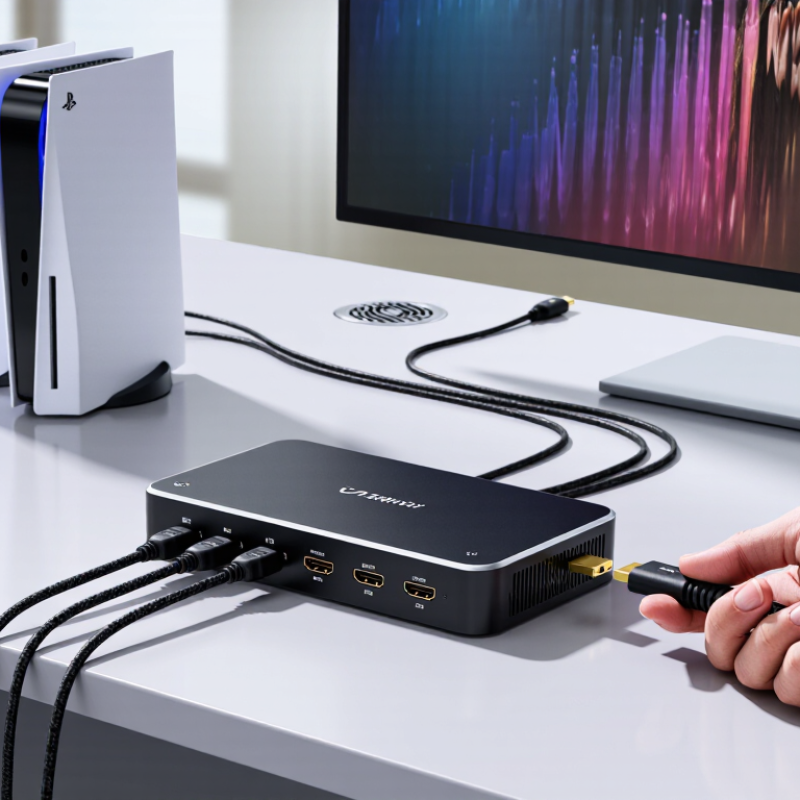
Understanding HDMI Port Extenders and Their Main Functions
An HDMI port extender moves a hard-to-reach connection into a safer, more convenient position. It may use a short cable, a coupler, or a wall-mounted socket. The main function is simple: extend access without repeatedly bending the television’s original port.
A good extender also protects signal quality. In 2026, check whether it supports your required resolution, refresh rate, HDR format, and audio return channel. A gaming setup may need 4K at 120 Hz, variable refresh rate, and enough bandwidth for fast images. A home theater may depend more on reliable eARC audio. Compatibility matters more than attractive specifications.
Keep the connection short when possible. Longer paths can increase signal loss, especially with high-bandwidth content. Look for clear information about bandwidth, cable construction, shielding, and connector fit. The extender should sit firmly without pulling sideways on the device.
I have seen loose adapters cause brief black screens. Small details matter. Test the extender with every source before hiding cables behind furniture. Check the console, media player, and receiver separately. Some extenders pass video but fail with advanced audio or copy-protection handshakes. That weakness is easy to miss.
A powered signal extender may help across longer distances, but it adds another device and another power requirement. Passive models are often cleaner for short extensions. Still, “plug and play” is not always perfect. A careful buyer measures distance, identifies the weakest device, and leaves room for future equipment.
How to Choose the Best HDMI Port Extender in 2026?
Understanding HDMI Port Extenders and Their Main Functions
HDMI port extenders should be selected according to the required resolution, refresh rate, and available signal bandwidth. HDMI 1.4 supports up to 10.2 Gbps and is commonly suitable for 4K at 30 Hz. HDMI 2.0 increases bandwidth to 18 Gbps, supporting 4K at 60 Hz. HDMI 2.1 provides up to 48 Gbps for demanding applications such as 4K at 120 Hz and 8K at 60 Hz, provided that the extender, cables, and source devices support the same standard.
Comparing Signal Range, Resolution, Refresh Rate, and Audio Support
How to Choose the Best HDMI Port Extender in 2026?
Choosing an HDMI port extender starts with the distance between your source and display. Measure the real cable path, not the room’s straight-line distance. A 10-meter setup may need extra length around furniture and wall conduits. For short runs, a copper-based extender can be practical. Longer installations often benefit from network-based transmission, but both ends need stable connections. I once ignored a small bend radius and received intermittent black screens. That mistake was avoidable.
Resolution and refresh rate must match your equipment. A display running 4K at 120Hz needs more bandwidth than 4K at 60Hz. Check the extender’s tested specifications, not only its maximum headline number. Gaming and sports benefit from higher refresh rates, while office presentations may not. Latency also matters. A slight delay can feel obvious when controlling a game or live camera. Test your actual source, display, and cable combination.
Audio support deserves equal attention. Confirm compatibility with stereo, multichannel formats, and audio return features if your setup requires them. Some extenders pass video correctly but create silence when audio settings change. Look for EDID management and HDCP compatibility. These features can reduce handshake problems, though they are not magic fixes. Installation quality still matters. Use certified cables, secure power adapters, and ventilation around active hardware. I would also test the system for several hours before hiding it behind a wall. Small oversights become expensive later.
Evaluating Installation Methods, Compatibility, Reliability, and Security
Choosing the best HDMI port extender in 2026 starts with installation reality. A short cable run may suit a passive coupler, while longer runs usually need an active repeater. Wall-mounted units need a stable back box and clear strain relief. Desk units need ventilation and accessible power. I test the complete chain before drilling: source, extender, display, remote controls, and audio return. It takes minutes. Replacing a sealed wall plate takes much longer. Poor cable routing can also bend connectors and create intermittent black screens.
Compatibility is more than matching HDMI plugs. Check supported resolution, refresh rate, color format, HDCP version, ARC or eARC, and CEC behavior. A source can output 4K, yet the display may fail when high refresh and HDR operate together. Read the extender’s EDID handling details. Test with the actual source and display, not only a laptop. Do not trust every package claim. Specifications sometimes omit cable length limits or power requirements. That omission matters.
Reliability depends on heat, power stability, and connector quality. Run a two-hour test with repeated sleep and wake cycles. Watch for flicker, audio drops, or delayed handshakes. Keep firmware updates from an authenticated manufacturer portal, and avoid network-connected models unless remote management is necessary. Disable unused network access and change default credentials. HDMI is not automatically private; exposed ports can allow unwanted device connections. Still uncertain. A unit that passes today may fail after months of heat or cable movement. Choose replaceable cables, documented support, and a return period that permits real testing.
Choosing the Right HDMI Port Extender for Your Budget and Setup
Choosing the best HDMI port extender depends less on maximum speed than on your actual devices. In my installations, the cheapest extender often fails at the cable, not the port. HDMI Forum’s HDMI 2.1 specification permits bandwidth up to 48 Gbps. It supports 4K/120Hz and 8K/60Hz with compatible equipment. Those figures are useful, but they are not automatic results. Every device must share the required capability.
For a 1080p projector or office monitor, a basic passive extender may be enough. Keep the total run short. Check HDCP compatibility before buying. A gaming setup needs more headroom. Look for 48 Gbps support, 4K/120Hz, variable refresh rate, and reliable EDID handling. An active, externally powered unit is safer over longer distances. Power matters. Some displays provide too little current through HDMI.
Budget for certified cables, ventilation, and a small buffer. The Consumer Technology Association’s 2024 U.S. Consumer Technology Ownership and Usage Study reports television ownership at 96% of households. Mixed-age displays remain common in real homes. I have made the mistake of buying for the newest screen, then connecting an older receiver that limited the signal. Test every source separately. Check resolution, audio return, and HDCP behavior. A cheaper extender can work well, but only after identifying the weakest device in the chain.